Upgrade your existing PayPal connection to PayPal with Venmo for faster checkout and better subscription billing.
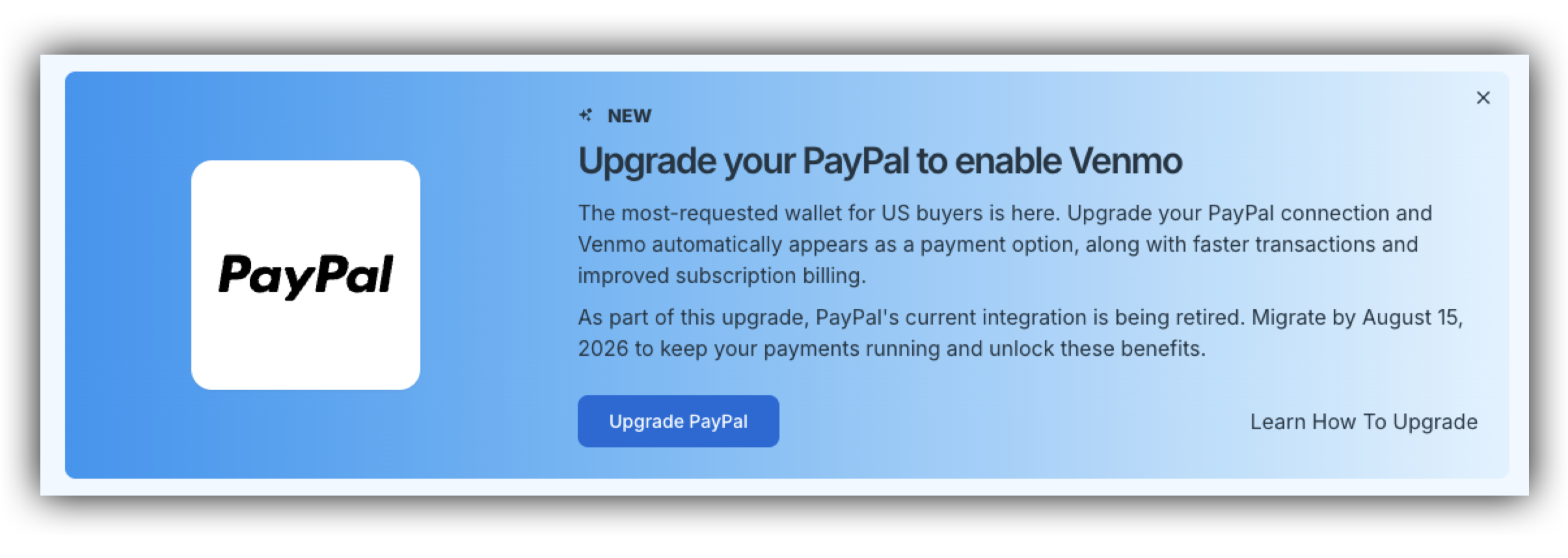
If you're already connected to PayPal in SamCart, you will need to upgrade to our newest PayPal integration directly from your payment settings. The upgraded connection adds Venmo as a checkout option, speeds up the buying experience for your customers, and improves how subscriptions and upsells are billed.
The upgrade takes just a few steps. You'll confirm how you want to set up the connection, log in to PayPal, and SamCart will handle linking everything for you.
NOTE: This upgrade is only available for US-based PayPal Business accounts. If your PayPal account is based outside the US or is a Personal account, you will not need to complete this upgrade.
Before You Begin
Make sure you have your PayPal Business account login credentials ready. You'll be asked to log in to PayPal partway through the upgrade to authorize the new connection.
Step 1 - Locate Your PayPal Connection in your General Settings
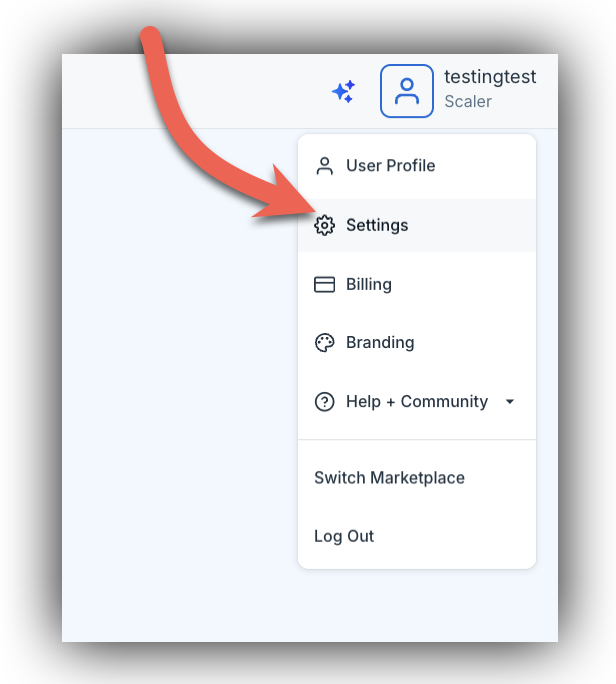
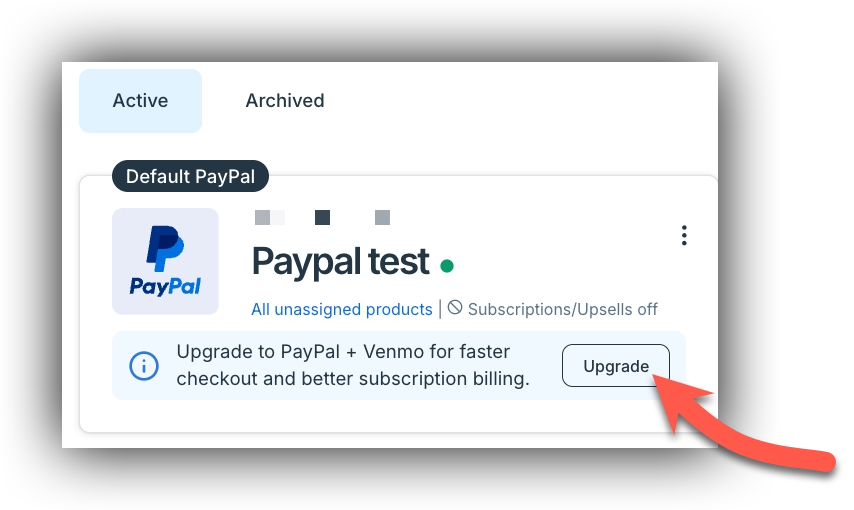
Navigate to your payment processor settings.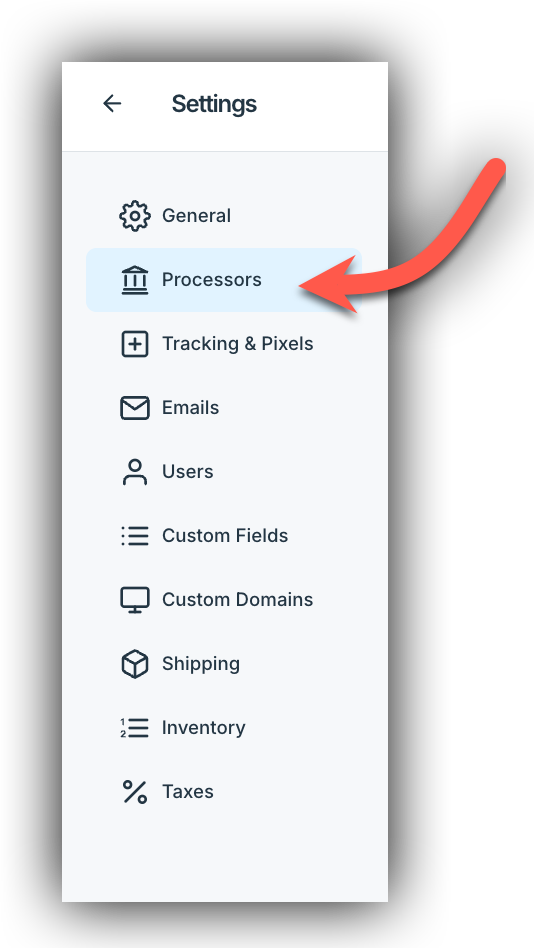 There you'll see your current Default PayPal connection listed under the Active tab.
On the connection card, you'll see a prompt: Upgrade to PayPal + Venmo for faster checkout and better subscription billing, along with an Upgrade button.
Step 2 - Click Upgrade
Click the Upgrade button on the connection card to start the process.
Step 3 - Review and Continue
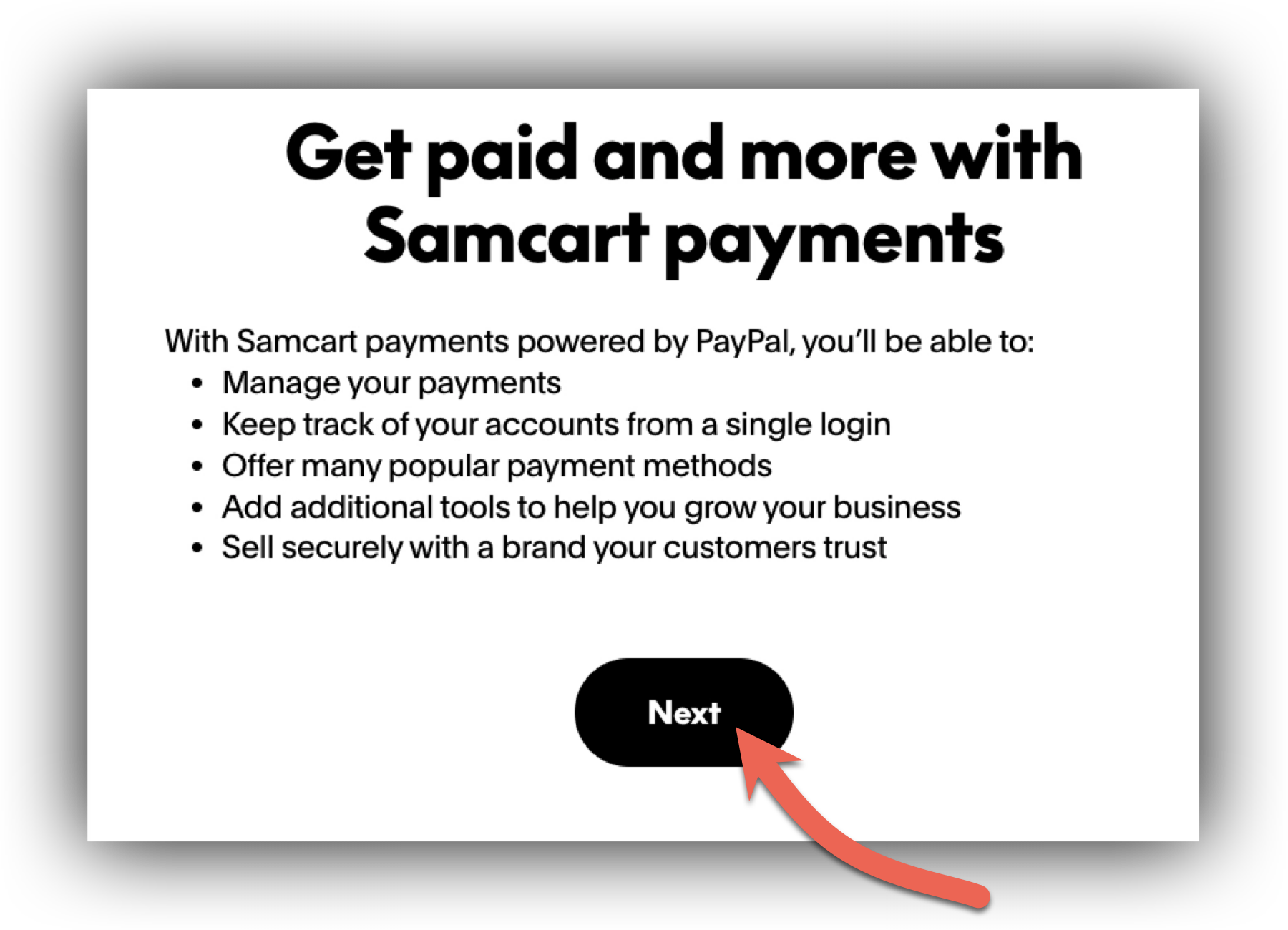
A Connect PayPal window will open with a brief overview of what SamCart payments powered by PayPal lets you do, including managing your payments, tracking your accounts from a single login, and offering more payment methods.
Click Next to continue.
Step 4 - Choose How to Set Up
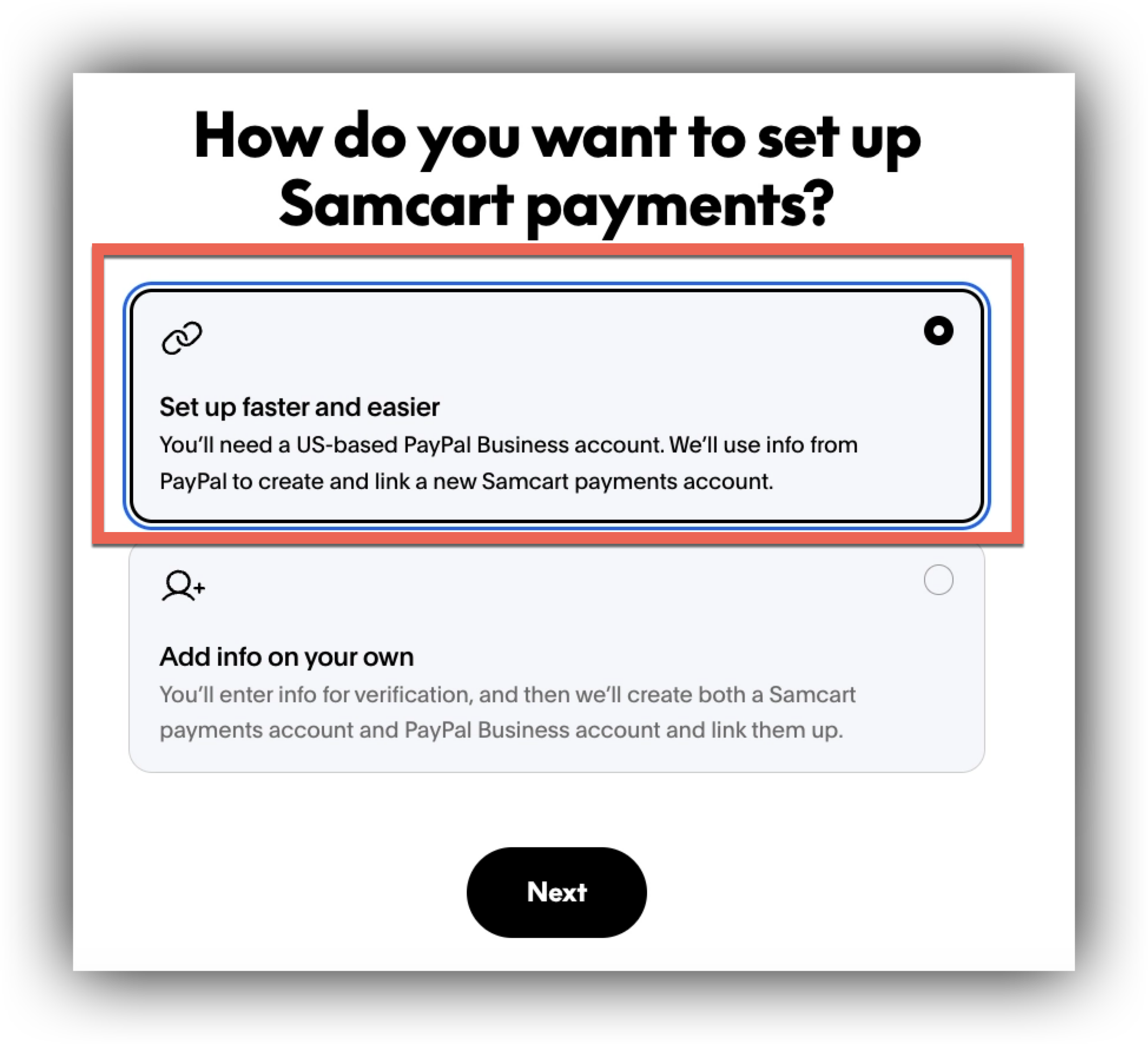
Next, you'll choose how you'd like to set up your connection:
| Option | What it does |
|---|---|
| Set up faster and easier | SamCart pulls your information directly from PayPal to create and link your new account. Requires a US-based PayPal Business account. (Recommended) |
| Add info on your own | You'll enter your information manually for verification, and SamCart will create and link both accounts for you. |
We recommend Set up faster and easier for the quickest setup. Select your option and click Next.
Step 5 - Log In to PayPal
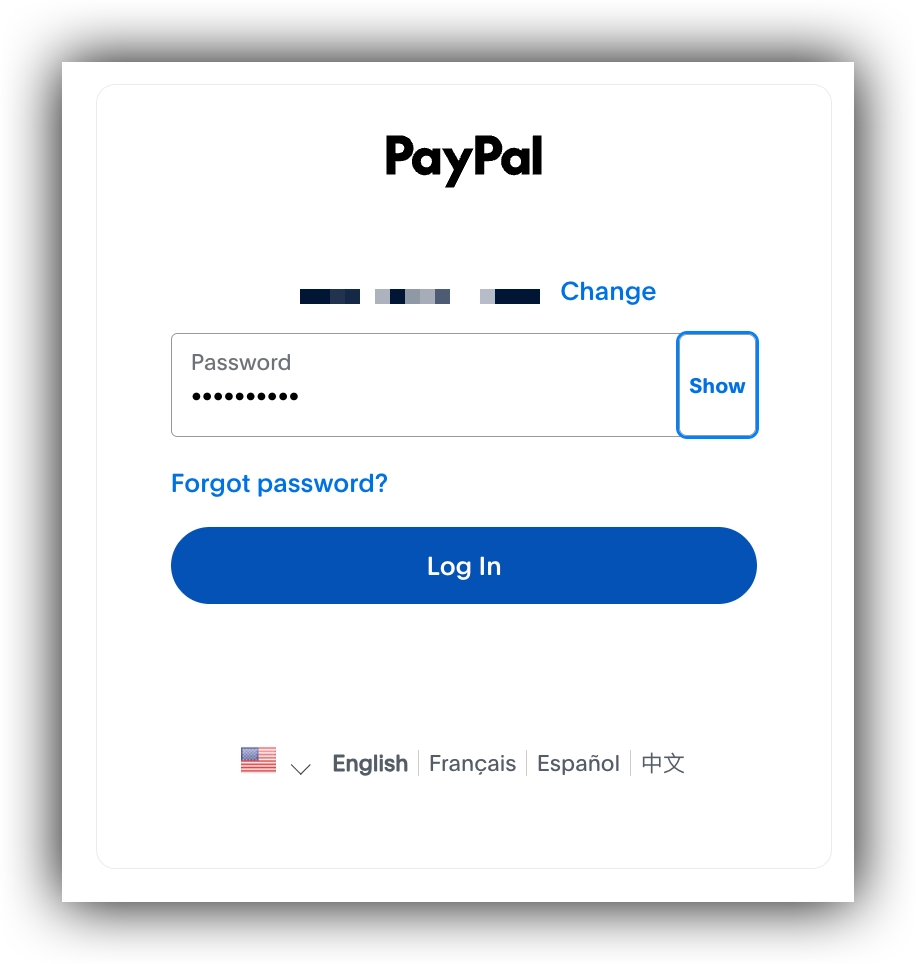
You'll be taken to PayPal to log in. Enter your PayPal Business account password and click Log In to authorize the connection.
Step 6 - Confirmation
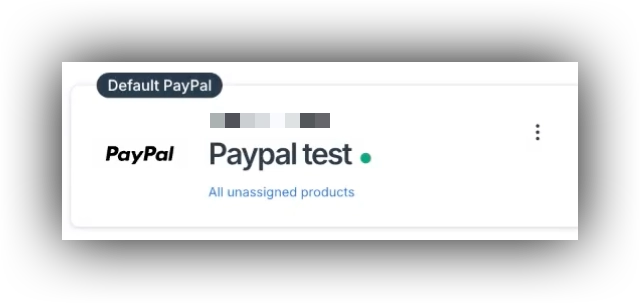
Once you've logged in, SamCart links your upgraded connection automatically. Back on your payments page, your Default PayPal connection will show as active with the new PayPal branding.
That's it! Your PayPal integration is upgraded and ready to go.
Frequently Asked Questions
Q: Do I need to upgrade?
A: Upgrading is required so you can offer Venmo, give customers a faster checkout, and take advantage of improved subscription and upsell billing.
Q: What happens to my active subscriptions during and after the upgrade?
A: Your existing active subscriptions are not affected. They continue billing on their current schedule before, during, and after the upgrade.
Q: Will my products stay connected to PayPal after upgrading?
A:Yes, your products stay connected after upgrading.
Q: My PayPal account isn't based in the US. Can I still upgrade?
A: Not at this time. This upgrade is only available for US-based PayPal Business accounts.
Q: What's the difference between "Set up faster and easier" and "Add info on your own"?
A: With Set up faster and easier, SamCart pulls your details directly from PayPal to create and link your account. With Add info on your own, you enter your information manually for verification. Both result in a linked SamCart payments account; the first is faster if you have a US-based PayPal Business account.
Q: After upgrading, my connection shows a pending or "connection" message. Is something wrong?
A: No, this is usually expected. PayPal may need to verify your email address, or your account may be pending while PayPal completes its Know Your Customer (KYC) review. This is especially common for PayPal accounts that were created recently, and the review can take a little time to complete. Note, that PayPal may not display a prompt on their end telling you anything is needed, so the message in SamCart can appear even when PayPal looks normal. The connection will clear once PayPal finishes its review.
Q: What happens if I don't upgrade right away?
A: Nothing changes immediately. Your current PayPal connection keeps working as normal, and you can complete the upgrade when you're ready, within the upgrade window described below.
Q: Is there a deadline to upgrade?
A: Yes. You have 30 days to complete the upgrade. After that window, you'll need to be on the upgraded connection to keep processing PayPal payments without interruption.