Typeset Coauthor can now generate charts from a simple text description
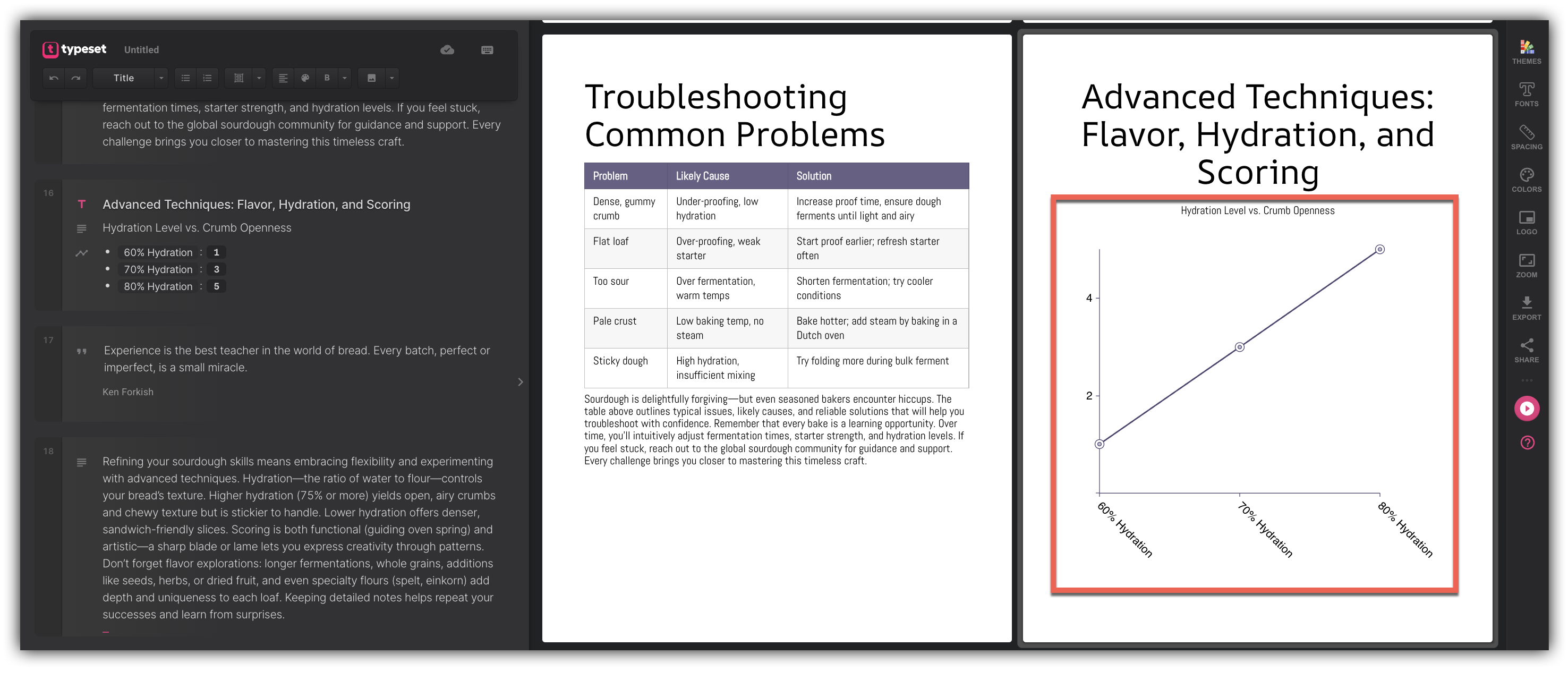
With chart generation in Coauthor, you can describe your data in plain language and the AI authoring engine will instantly create a properly formatted chart for you. Whether you ask for a specific chart type or let Coauthor decide what works best, the result is a fully editable chart component that lives right inside your document — ready to customize just like any other element.
This works across presentations, ebooks, and sites. If you're using AI authoring for pages, note that this feature is currently in beta.
How to Generate a Chart with Coauthor
To get started, open any presentation, ebook, or site in Typeset and launch Coauthor from the toolbar.
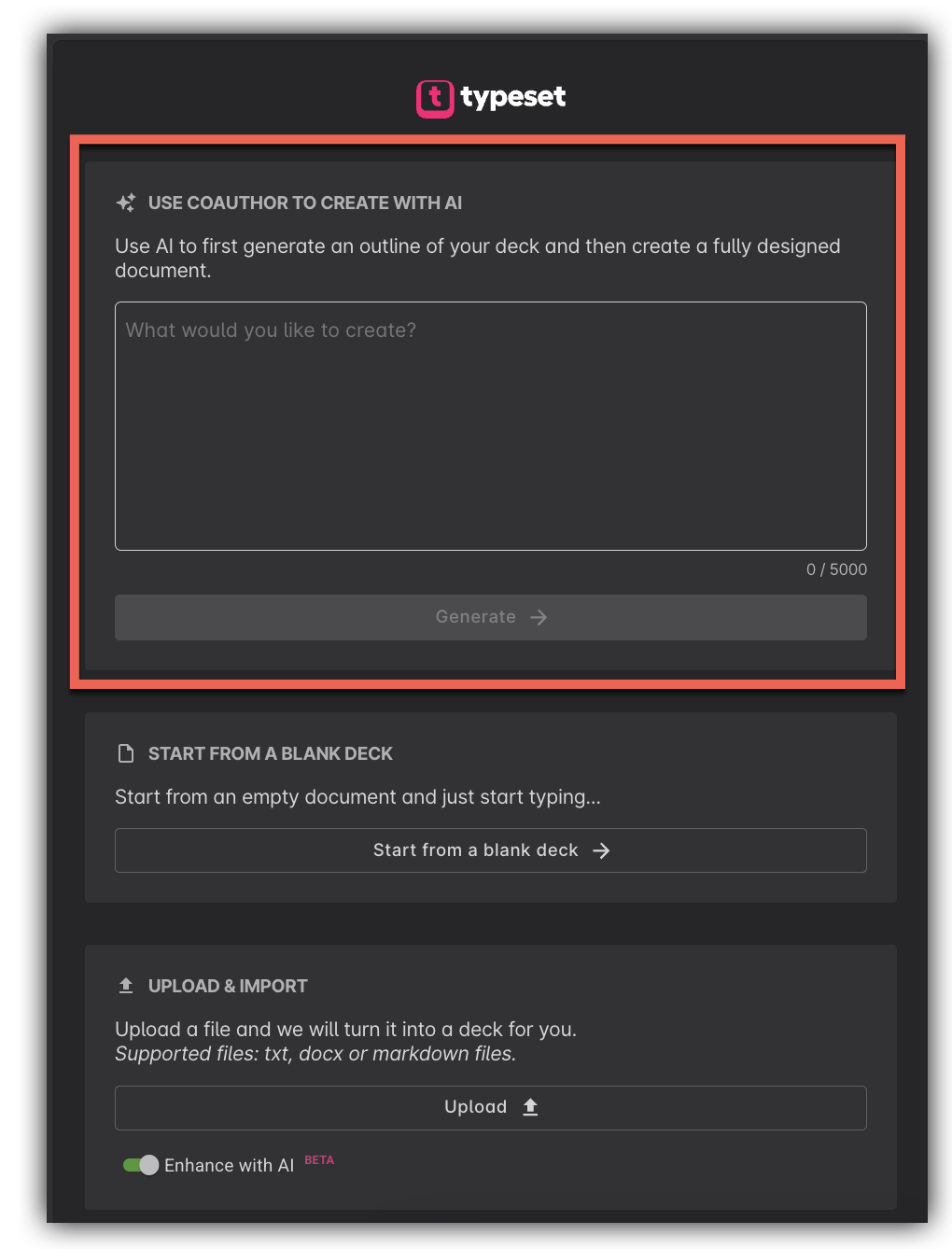
In the Coauthor prompt field, describe the chart you want. You can either specify a chart type directly or simply describe your data — Coauthor will choose the best visual format if you don't.
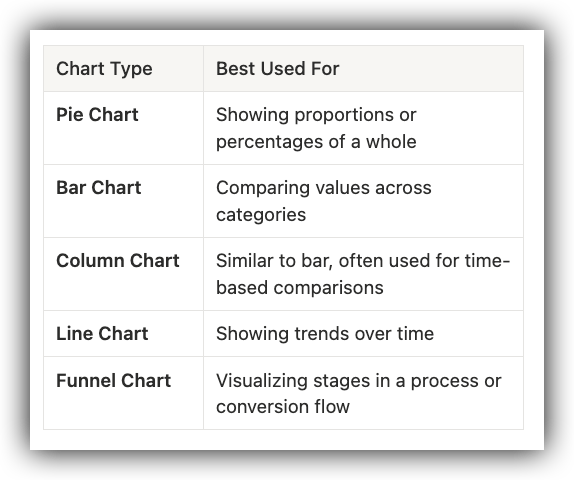
It is important to note that Coauthor supports the following chart types:
Once you submit your prompt, Coauthor will generate the chart and insert it into your document automatically.

Editing Your Chart After Generation
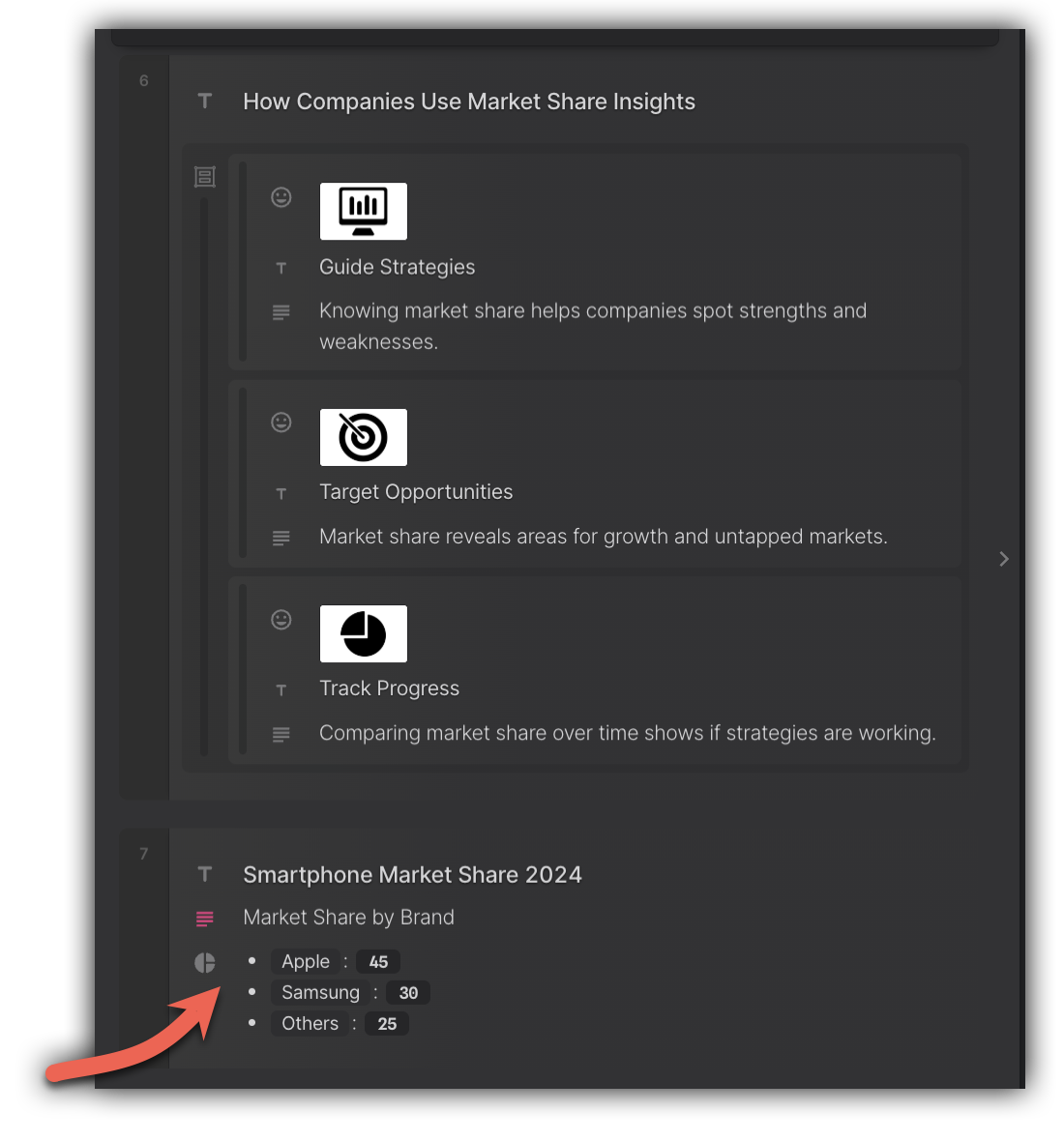
Every chart generated by Coauthor is a standard Typeset component, so you can edit it just like anything else you'd build manually. Click on the chart to select it, then make any adjustments you need — including data values, colors, labels, and layout.
Don't forget to save your document when you're done!
Chart Captions
Coauthor automatically adds captions to charts when they're included in your AI authoring output — no extra steps needed. Captions appear below the chart and provide context for the data being displayed.

If you'd like to update or remove a caption after it's been generated, click on the chart to select it, then edit the caption text directly in the properties panel on the left side of the builder.
Tips for Getting the Best Results
You don't have to prompt for a chart explicitly — Coauthor will recognize when your content calls for a visual and insert the most appropriate chart type on its own. That said, if you have a specific format in mind, including the chart type in your prompt gives you the most predictable result.
Here are a few example prompts to try:
- "Create a bar chart comparing Q1 through Q4 sales: $120k, $145k, $98k, $160k"
- "Show a funnel: 1,000 visitors, 400 leads, 120 customers, 40 repeat buyers"
- "Line chart showing website traffic growth over 6 months: Jan 2k, Feb 2.4k, Mar 3.1k, Apr 3.8k, May 4.2k, Jun 5k"
- "Visualize this data" — and let Coauthor decide the best format
Frequently Asked Questions
Q: Can I edit the chart data after Coauthor generates it?
A: Yes! Every chart generated by Coauthor is a fully editable Typeset component. Click on the chart to open the editing panel and update data values, labels, colors, or layout at any time.
Q: What if I don't specify a chart type in my prompt?
A: No problem — Coauthor will analyze your data and the surrounding context of your document, then automatically select and insert the most appropriate chart type. You can always edit or swap it out afterward.
Q: Which document types support chart generation?
A: Chart generation is available in presentations, ebooks, and sites. AI authoring for pages is currently in beta, so you may experience some limitations there.
Q: What chart types can Coauthor generate?
A: Coauthor currently supports pie, bar, column, line, and funnel charts. If you need a specific type, just include it in your prompt.
Q: What happens if Coauthor generates the wrong chart type?
A: Since generated charts are standard Typeset components, you can edit the chart type and data after it's created. You can also re-run your prompt with a more specific chart type included to get a different result.